Most YouTube creators watch their competitors casually — a quick check of subscriber counts here, a scroll through their latest uploads there. That's not a strategy. That's curiosity.
Real competitor tracking means monitoring the right metrics, on the right channels, consistently over time. And when you do it well, it tells you exactly what content to make next, what titles work in your niche, and when a competitor is losing momentum you could capitalize on.
Best part? You can do all of this for free with VidMaestro.
Why Competitor Tracking Actually Matters
Tracking competitors isn't about copying them — it's about understanding the landscape you're competing in. Creators who systematically monitor their niche consistently outperform those who don't. They know what's working before everyone else does, and they adjust faster.
Step-by-Step: Setting Up Your Competitor Tracking System
Step 1: Identify Your Real Competitors
Don't just track the biggest channels in your niche. Track channels within 20–30% of your current size — those are the creators directly competing for the same audience. Also include 1–2 aspirational channels (5–10× your size) to spot what growth looks like in your niche.
Step 2: Add Them to VidMaestro's Competitor Dashboard
Head to vidmaestro.com/competitors, sign in with Google, and add your competitors by channel name or URL. VidMaestro pulls daily-updated stats so your dashboard is always current — no manual refreshing required.
Step 3: Check the Right Metrics (Not Just Subscribers)
Subscriber count is a vanity metric. What actually tells you about momentum: upload frequency, view-to-subscriber ratio, and growth velocity over the past 30 days. VidMaestro surfaces all of these in one view.
Step 4: Look for Content Gaps
Use the channel analyzer to look at what topics a competitor covers frequently vs. what they're missing. If the top channel in your niche has never made a beginner's tutorial and that's a high-search topic — that's your opening.
Step 5: Check Your Niche Rankings Weekly
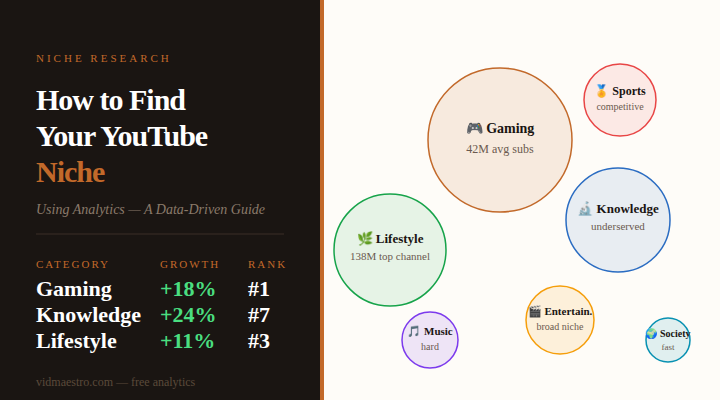
VidMaestro's category top-lists show you where you stand inside your niche — Gaming, Music, Sports, Entertainment, Lifestyle, Society, Knowledge. Checking these weekly tells you if you're climbing or slipping before your own analytics do.
What to Do With the Data
Spot Upload Pattern Changes
If a competitor went from uploading 5× a week to 2× a week, that usually signals team changes, burnout, or a pivot. It also means their audience engagement is about to drop — and you can fill that gap.
Study Their Best-Performing Videos
Use VidMaestro's channel analyzer to see which videos got the most views relative to their average. These are your competitor's proven formats. Study the title structure, the thumbnail style, and the topic — then make your own version better.
Track Growth Velocity, Not Absolute Numbers
A channel with 500K subscribers gaining 50K this month is growing faster than one with 2M gaining 30K. Velocity tells you who has the algorithm's attention right now. That's the channel to watch most closely.
Common Mistakes to Avoid
Tracking Too Many Channels
Five well-chosen competitors you review consistently beats 25 channels you check once and forget. Start with three to five, review them properly, and add more only when you have a clear reason to.
Copying Instead of Learning
Competitor tracking is about extracting principles — what topics resonate, what format works, what the audience responds to — not about duplicating videos. The audience can tell the difference, and so can the algorithm.
Only Checking When Something Goes Wrong
The best insights from competitor tracking are trend signals you catch early, not post-mortems on why someone overtook you. Consistent weekly review is the habit that pays off.
The Bottom Line
YouTube growth isn't just about making great content — it's about making the right content at the right time in the right niche. Competitor tracking gives you the intelligence to do that without guessing. With VidMaestro, you have no excuse not to: it's free, it updates daily, and it's designed specifically for this kind of analysis.
Go set up your competitor dashboard now at vidmaestro.com/competitors — it takes about five minutes and the insights start immediately.